Buying vs Building a Website in Nigeria: Which is Better for a New Business? (2026 Guide)
Should you buy an existing website or build one from scratch? Compare the costs, risks, and ROI of both strategies to make the right choice for your next online business.
Published by
Updated
Buying vs Building a Website in Nigeria: Which is Better for a New Business? (2026 Guide)
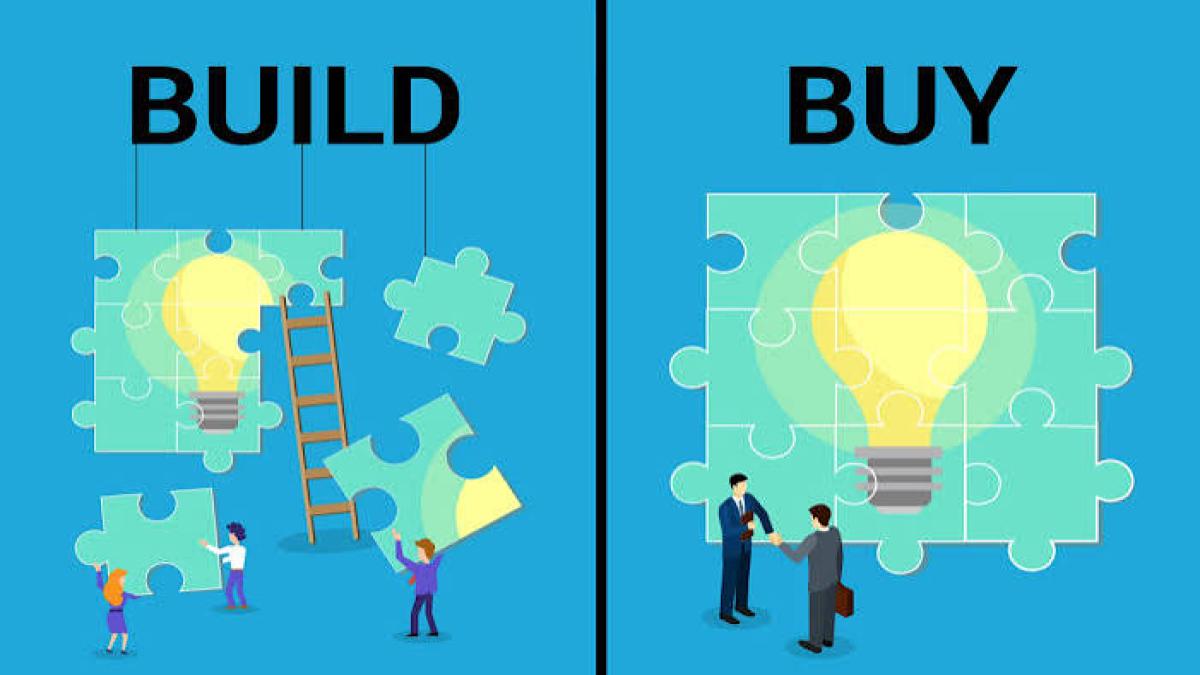
When starting an online business or entering the digital commerce space, every entrepreneur faces a fundamental fork in the road: Should you build a website from scratch, or should you buy an existing one?
Both strategies have created millionaires, built thriving brands, and generated steady passive income. However, they cater to completely different stages of business, financial situations, and personal resources. Choosing the wrong path can lead to wasted time, lost capital, and unnecessary frustration.
What do “buy,” “build,” and “rent” a website mean?
Building a website means creating it yourself or paying someone to create it for you, starting from nothing. You choose the design, write the content, and set up the tools.
Buying a website means paying the current owner for a website that already exists. It might already have content, visitors, customers, or income, or it might be a ready-made design you can use right away. After the sale, the domain, files, and access become yours.
Renting a website means paying to use someone else’s ready-made website for a set period of time, without owning it. When the time ends, you either renew or return it.
What kinds of websites can you buy?
| Type | What it is | Example |
|---|---|---|
| Profitable website | A site that earns money (ads, affiliate links, sales) | A recipe blog that earns from ads |
| Ready-made business website | A finished site waiting for a new owner | A restaurant page or portfolio site |
| Online store | A site with products, payment, and customers | A small skincare shop |
| Website with traffic but no income | A site with visitors that you can monetize | A job-updates blog |
| Domain name only | Just the web address | A short, brandable domain |
Buying vs building a website: side-by-side
| Build from scratch | Buy an existing website | Rent a ready-made website | |
|---|---|---|---|
| Upfront cost | Low | Medium to high | Low to medium |
| Time to launch | Weeks to months | Days to weeks | Fastest |
| Time to first income | Slow (months) | Faster, if the site already earns | Depends on your use |
| Skill needed | Medium to high (or you hire help) | Medium (you must know what to check) | Low |
| Risk | Medium (it may not take off) | Medium to high (if you don’t check well) | Low (you can walk away) |
| Control | Full | Full after transfer | Limited by the rental terms |
| Ownership | Yours | Yours | Not yours |
| What you learn | A lot | Some | Little |
| Best for | Beginners with time and a small budget | People with money and less time | Short projects, tests, and campaigns |
A quick rule of thumb: If you have more time than money, lean toward building. If you have more money than time, lean toward buying. If you only need a website for a short time, consider renting.
Option 1: Building a website
The pros
- Low startup cost. You can start small and grow.
- You learn useful skills. Setting up hosting, editing pages, and fixing problems makes you more independent.
- It’s exactly what you want. Your brand, your design, and your content.
- No surprises. You know how everything works, because you built it.
- Higher upside. A small investment can grow a lot if the site takes off.
The cons
- It takes time. A new website has no visitors, no ranking, and no history. Getting traffic can take months.
- Many new websites fail. Often because of poor topic choice, weak content, or giving up too soon.
- A learning curve. You’ll need to learn design, content, and basic marketing.
- Ongoing costs and chores. Hosting, domain renewals, updates, and fixes never stop.
Option 2: Buying an existing website
The pros
- A head start. You skip the slow early stage. The content, design, and sometimes the traffic and customers are already there.
- Faster income. If the site already earns, you can collect income sooner.
- Proof it works. Real numbers (when verified) tell you more than guesses.
- Less of the “blank page” work.
- You can improve it. Many buyers grow an existing site rather than starting from zero.
The cons
- Higher upfront cost. You pay for what’s already built.
- Risk of bad deals. Fake traffic, exaggerated income, or hidden problems.
- You still need to know what to check. A beginner can pay too much.
- Traffic can drop. An existing site can lose visitors after a change of owner, an update to Google’s rules, or a drop in content quality.
- You may not fully understand the site. You’ll need to learn how it works.
How much does a website cost to buy?
Prices depend on profit, traffic, age, and quality. Many sellers price a site as profit × a multiple. We explain this in our guide on how to sell website online in Nigeria.
A simple example (for illustration only):
If a site makes ₦60,000 profit a month, that’s ₦720,000 a year. A seller might ask for around 1.5 to 3 times yearly profit, so ₦1.08 million to ₦2.16 million. A site with no profit would cost much less, because you’d be paying for the design, domain, and content only.
The 10-point check before you buy (due diligence)
Due diligence simply means checking that what the seller says is true. It means verifying that an asset is what it’s claimed to be, including making sure revenue and traffic claims are accurate and that the business isn’t fraudulent. Read more (Flippa)
Ask for proof on each of these:
- Ownership. Does the seller really own the domain, content, and accounts?
- Income. Ask for bank, payment gateway, or ad and affiliate dashboards (screenshots at least, live view if possible).
- Traffic. Check analytics: visitors per month, where they come from, and top pages.
- Do traffic and income match? Income that doesn’t follow traffic is a warning sign.
- Traffic sources. Is everything coming from one place? That’s risky.
- Content quality. Is it original, not copied?
- Costs. What does it cost to run each month (hosting, writers, tools)?
- How much work it takes. How many hours does the owner spend each week?
- Transferability. What can’t be moved to you (some accounts, licenses, or social pages)?
- Reason for selling. Does the story make sense?
How to buy safely
- Never pay a seller privately for a website without protection.
- Use escrow. Escrow holds your money until the website is transferred and you’ve confirmed it. Learn more in our guide on how escrow protects buyers and sellers.
- Get an agreement in writing covering what’s included, price, transfer steps, and any seller support.
- Verify before you confirm. Check domain access, hosting, admin logins, and files.
- Follow our checklist: How to Buy Digital Assets Online Safely.
- Sellers also have their side. See how it works from the seller’s view in How to Sell Digital Websites Securely.
Option 3: Renting a ready-made website
Renting is the least-known option, but it can be the smartest for some projects.
When renting makes sense
- You need a website for a short time, like an event, a campaign, or a seasonal sale.
- You want to test a business idea before spending big.
- You don’t have the time or skill to build, and don’t want to buy.
- You want to try a niche before committing.
The pros
- Quick to start
- Lower upfront cost than buying
- You can stop when the rental ends
The cons
- You don’t own it. When the rental ends, so does your access.
- Rules apply. Terms may limit what you can change, resell, or remove.
- Your work may not carry over. Anything you build on a rented site may stay with it.
What to check before you rent
- How long is the rental, and what does renewal cost?
- What are you allowed to change?
- What happens to your data, customers, and content when it ends?
- Is the payment protected?
On Plugsosolog, sellers can list websites for rent. Its Terms say buyers shouldn’t resell rented assets without permission, and rental websites may carry a Plugsosolog tracker snippet that must stay in place during the rental. Read each listing and the Terms of Service before you rent.
How to decide: 5 simple questions
1. How much money can you afford to risk?
If it’s very little, building (or renting) is safer. Never spend money you can’t afford to lose.
2. How much time do you have?
If you can give a few hours daily for months, building works. If you need results quickly, buying or renting may fit better.
3. How skilled are you?
If you’re new, building teaches you, but buying without knowledge can lead to costly mistakes. If you don’t know what to check, get help or start with building.
4. How fast do you need income?
Buying a site that already earns can give income sooner. Building usually takes longer.
5. How long do you need the website?
For a few weeks or months, renting may be enough. For a long-term brand, owning (building or buying) is better.
Can you do both? The hybrid approach
Many smart owners combine options:
- Buy a small, cheap site to learn how real websites work, then build your own bigger project.
- Build first, buy later. When your first site makes money, you can buy another and expand.
- Buy a ready-made design and customize it instead of starting with a blank page.
- Rent first, buy if it works.
8 mistakes to avoid
- Buying without verifying income and traffic.
- Paying outside escrow or without a written agreement.
- Building a site with no plan for getting visitors.
- Chasing the cheapest option without thinking about long-term costs.
- Ignoring running costs like hosting renewals, domain, and maintenance.
- Quitting too early. New websites need patience.
- Buying a site you don’t understand. If you can’t explain how it earns, don’t buy yet.
- Forgetting the exit plan. Keep clean records so you can sell later. See how to sell website online.
Frequently Asked Questions (FAQs)
1. Is it better for a beginner to buy or build a website?
For absolute beginners with little capital, building a website from scratch is recommended. It teaches you essential digital skills (like SEO, content creation, and site management) without risking thousands of dollars.
2. How much money do I need to buy a profitable website?
Most profitable websites sell for a multiple (usually 1.7x to 3.0x) of their annual net profit. While starter sites can be found for a few hundred dollars, established income-generating properties typically start around $1,000 to $5,000+.
3. Can I build a website and sell it later?
Yes! Many digital entrepreneurs specialize in building content sites, e-commerce stores, or blogs from scratch, scaling them to profitability, and then cashing out for a large lump sum. (Learn what investors look for when acquiring properties through our guide on how to sell a website online).
4. Where can I find pre-built websites or digital assets to buy?
You can explore and acquire ready-made, customizable online properties and digital assets securely through trusted platforms like Plugsosolog Marketplace.
Final Thoughts
Neither building nor buying a website is universally "better"—it all depends on your current financial situation, experience level, and personal goals. If you have time to learn, build. If you have capital to invest and want a head start, buy.
Ready to take the next step? Create your free Plugsosolog account and explore the marketplace.
Catch up on our earlier posts:
- What Are Digital Assets? A Beginner’s Guide
- How to Make Money Online by Selling Digital Assets in Nigeria
- How to Make Money Selling Digital Products Without Creating Them From Scratch
- 7 Digital Skills to Turn Into Income Online
- How to Sell Digital Websites Securely
- How to Sell Website Online in Nigeria
- How to Start an Online Business With Little or No Money